Billing
|
If your question is not addressed below, contact us through our support form and we will get back to you shortly. |
|
 |
Where can I view my billing information and invoices? |
|
Can I add VAT ID to my IDrive® e2 account? |
|
When am I billed on the Pay-As-You-Go plan? |
|
Why did I receive a charge before the end of my billing cycle? |
To view your billing information,
- Sign in to your IDrive® e2 account via any browser.
- Go to Billing > Billing Overview.
- Select a month from the drop-down menu. A bar graph will display your account's upload and download activity for the selected month, along with a summary of your storage usage and incurred charges.
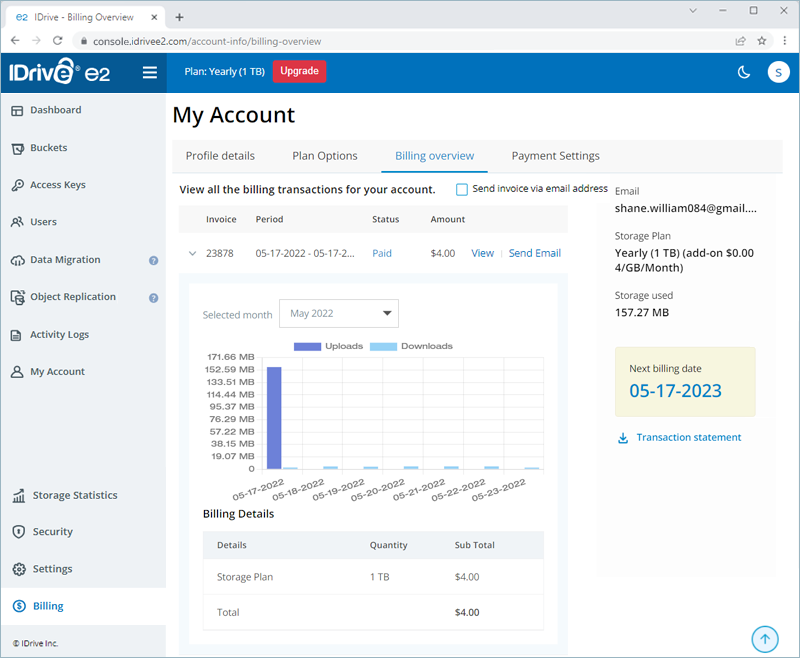
- Click View next to an invoice to view the same.
- Click Send Email next to an invoice to send it to your email address.
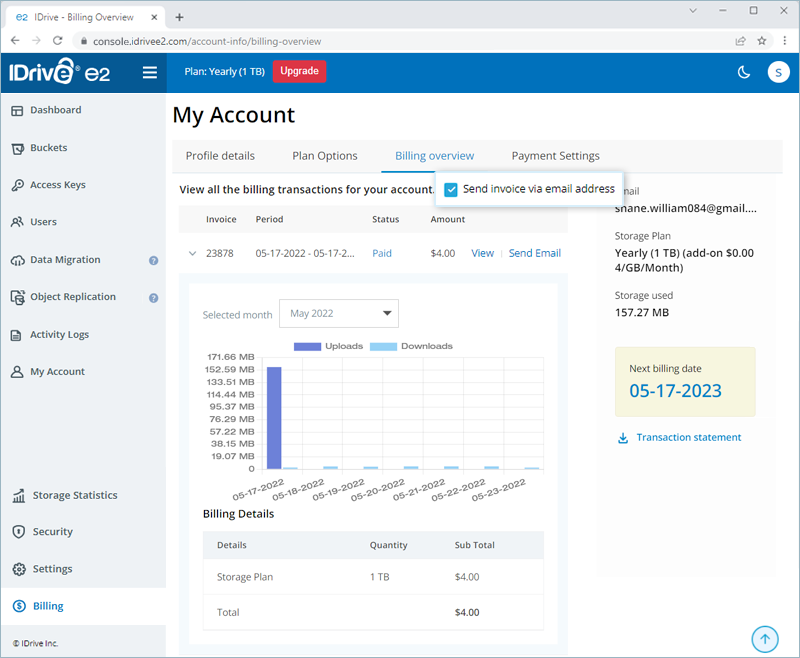
- Select the Send invoice via email address checkbox to automatically send all future invoices to your email address once generated.
Yes, you can add a VAT ID to your IDrive® e2 account if your business is located in the European Union (EU). The VAT ID option becomes available after your account is upgraded and your billing address is set to a VAT-applicable country.
To add a VAT ID,
- Sign in to your IDrive® e2 account via the web.
- Click your username in the top-right corner and select 'Account'.
- Navigate to the 'Billing Preferences' tab.
- Enter your VAT ID and click 'Save Changes'.
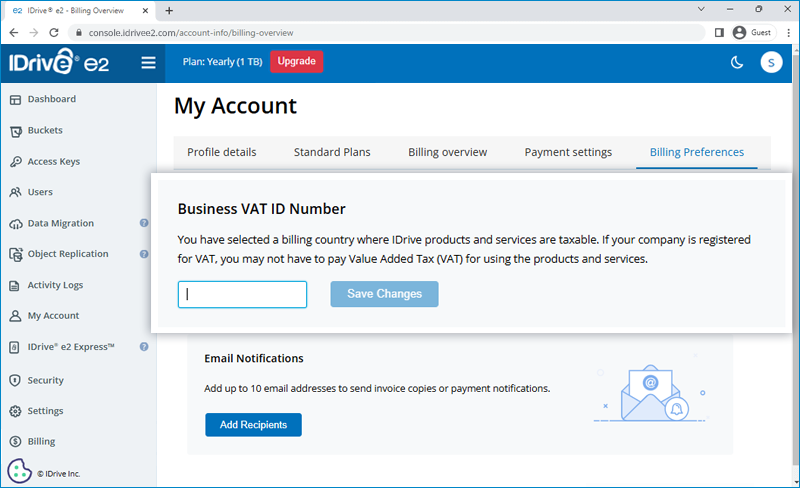
Alternatively, if your account is eligible, a notification will appear in the user interface prompting you to add or update your VAT ID. You can use either the notification prompt or the 'Billing Preferences' tab to manage your VAT ID.
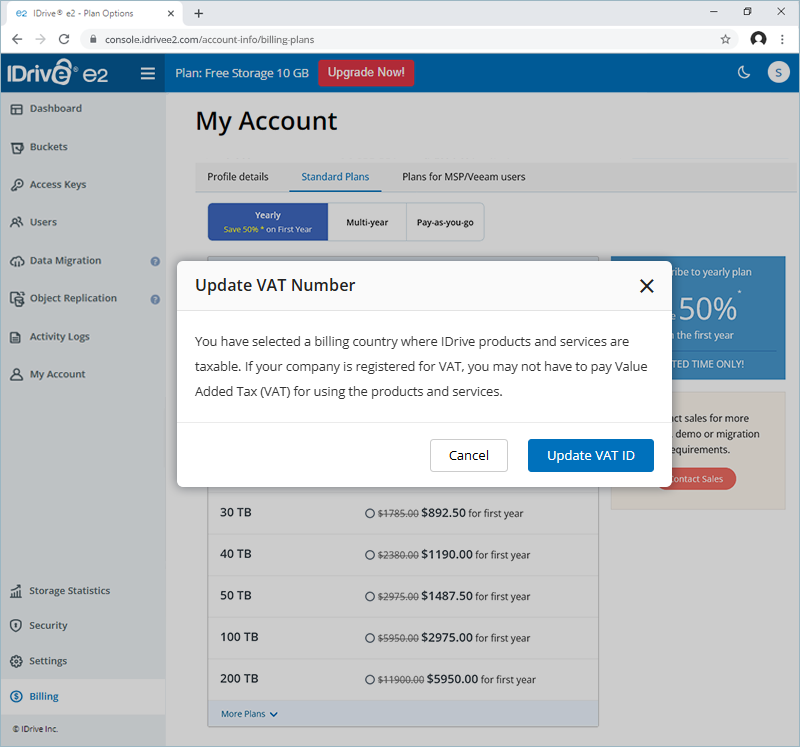
Note:
- As VAT is location-based, the VAT ID field will appear in the 'Billing Preferences' section only if VAT applies to the selected country.
- Any VAT ID added to your account may be validated by IDrive® e2.
Pay-as-you-go accounts are normally billed at the end of each 30-day billing cycle.